
1. Go to the mobile Quotations page and make sure the tab above the list is on "Sent Doc.". 2. Tap the search icon at the upper right. 3. Enter the quotation number (for example SIM-QUO-S0031-01) or the customer name to find the matching quotation. 4. To narrow things down first, tap the filter icon (sliders) at the upper right, set your conditions and apply them, then browse the list.
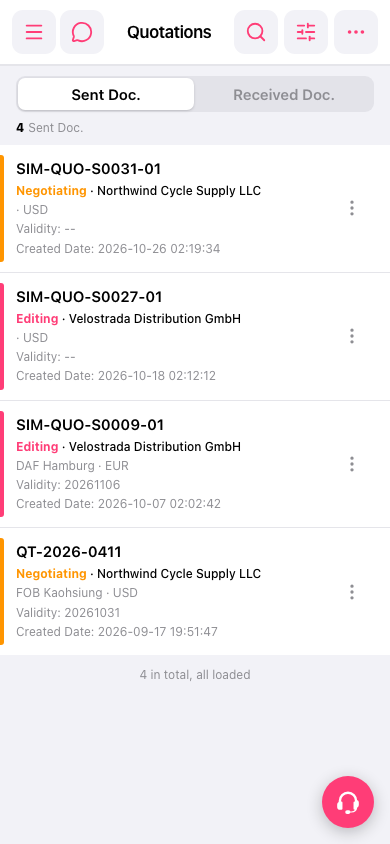 手機版|Quotations(報價單)