
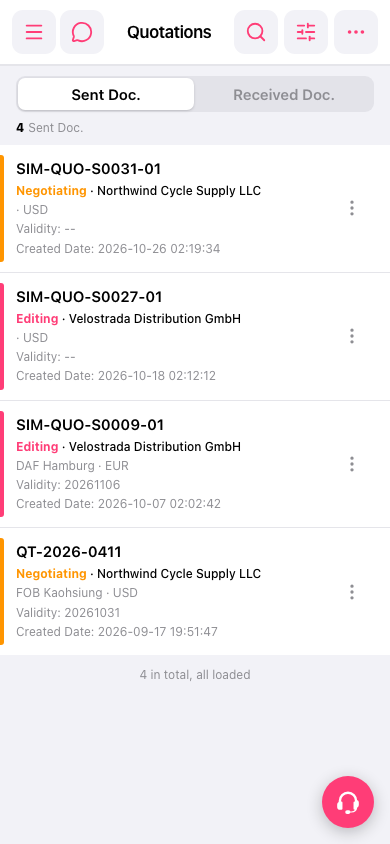
1. Browse the list on the Quotations page. Each quotation has a colored bar on the left and a status text next to it (for example Negotiating or Editing), which shows its current progress. 2. Each entry also shows the quotation number, customer name, trading terms and location (such as DAF Hamburg, FOB Kaohsiung), currency, Validity (expiry date), and Created Date. 3. To work with a quotation, tap the "⋮" on the right of that row and choose the action you need. 4. To view quotations sent by customers, tap the "Received Doc." tab above the list. Switching back to "Sent Doc." shows the quotations you sent.
 手機版|Quotations(報價單)