
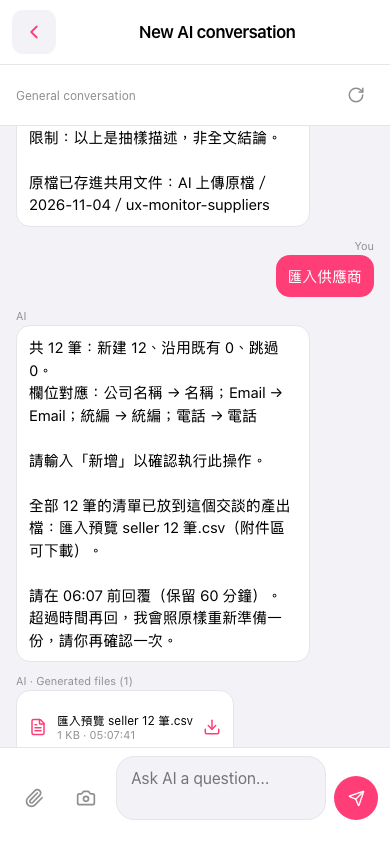
1. Under the AI's reply, find the output file card "匯入預覽 seller 12 筆.csv" (import preview, seller, 12 records). 2. Tap the download icon on the right side of the card, then download the CSV and check it row by row. 3. If everything looks fine, enter "新增" (add) in the input box within the time limit (in this example, before 06:07, kept for 60 minutes) and tap the paper plane to send. 4. If the time limit has passed, submit the import request again. The AI will prepare a new preview from the original file, and you confirm again.
You can ask: "匯入供應商" (import suppliers). The AI replies like this: "超過時間再回,我會照原樣重新準備一份,請你再確認一次。" (If you reply after the time limit, I will prepare a new one just as before, and please confirm again.)
 手機版|New AI conversation